Kling 2.5 Turbo (pro)
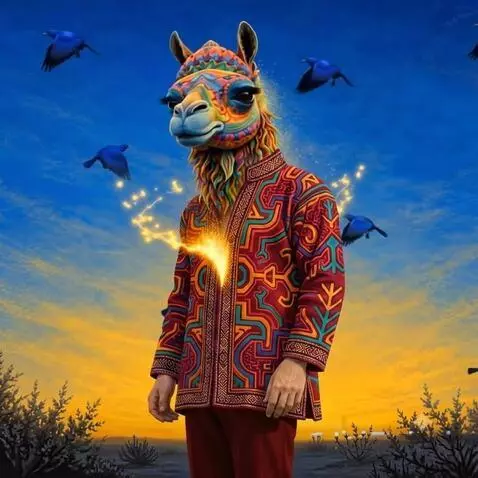
Animate the uploaded album cover as the starting frame. KEEP THE ORIGINAL IMAGE EXACTLY AS IT IS AT THE BEGINNING. Do not change the character, face, clothing, hands, birds, landscape, vegetation, colors or composition. The artwork begins completely stable and clearly visible. Then the entire image gradually begins to dissolve and disintegrate. The colors slowly fade and separate from the artwork into thousands of tiny luminous particles. The particles detach from the character, birds, vegetation and background and begin flowing outward in elegant swirling vortexes. The original image progressively loses its form. Increase the speed and energy of the swirling particles. Colors stretch into beautiful trails of light, fragments and dust, creating a powerful artistic spiral moving outward from the center and across the entire frame. The original artwork must progressively disappear completely. No recognizable elements of the album cover should remain. The particles become smaller, fewer and more transparent. The colors fade progressively into darkness. END WITH A COMPLETELY BLACK, EMPTY SCREEN. IMPORTANT: Do not create a new scene. Do not add new objects. Do not transform the character. Do not change the composition. This is a controlled artistic DISINTEGRATION of the uploaded image into particles, color, light and dust. FINAL STATE: COMPLETE BLACKNESS.