PixVerse v5
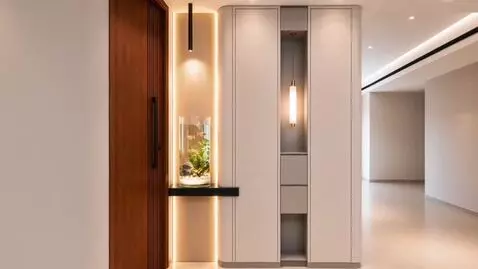
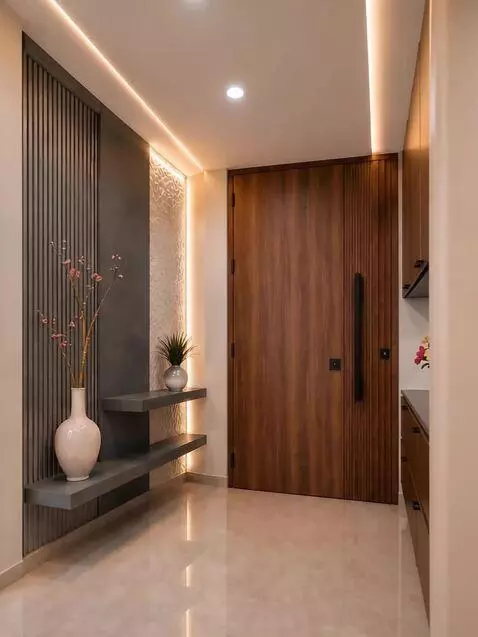
Interior Passage Walkthrough — Shot Plan Shot 1 — Entry View (0–3s) Starting position: Camera begins outside the passage, facing directly toward the large wooden door. Framing: Left cabinet visible on one side, column with hidden cabinet visible on the other. Motion: Smooth dolly forward, eye‑level perspective (~1.65 m). Focus: Symmetry of cabinets and door alignment, warm LED glow guiding the entry. Shot 2 — Mid‑Passage Glide (3–7s) Camera path: Continue moving forward into the passage at walking pace. Framing: Both cabinets opposite each other, door centered between them. Depth cues: Subtle parallax from recessed lighting and polished floor reflections. Mood: Calm, balanced, emphasizing the facing cabinetry relationship. Shot 3 — Centered Frontal View (7–10s) Final position: Camera stops inside the passage, perfectly centered. Framing: Door fills the middle of the frame, cabinets balanced on either side. Lighting: Warm recessed ceiling lights and LED strips highlight textures. End motion: Gentle ease‑out for a stable, cinematic finish. ✨ Technical Notes Material fidelity → Wood grain, matte finishes, and lighting unchanged. Lighting consistency → Match intensity and color temperature (~2700 K). No alterations → Layout of both cabinets and door preserved exactly.
Variations of the same prompt, generated by different AI models…