Hunyuan Video
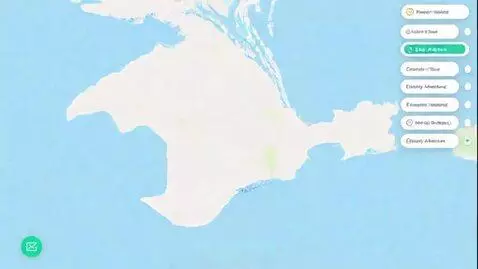
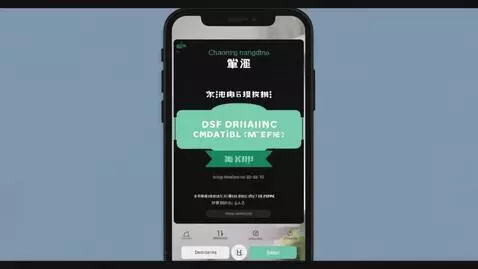
Generate a video demonstrating a user journey in a mobile travel planning app with an AI assistant. Style: Pure, clean UI/UX in a minimalist Apple (iOS) aesthetic. Use a color palette of white, light blue, and soft green. Employ smooth screen transitions and delicate, subtle animations for all UI elements. Format: 9:16, duration 60 seconds. Sound: Only soft, satisfying interface clicks and subtle transition whooshes. Shot Sequence (Scene by Scene): Start Screen (5 seconds): A clean white screen. In the center, an elegant "KrimeaTourGuide" logo. At the bottom, a large input text field with a placeholder: "Describe your dream trip...". Inside the field, on the right, a microphone icon (voice input). Inputting a Request (10 seconds): Close-up on the text field. Text smoothly types into the field: *"A 5-day trip to Crimea in July, from Moscow. With my wife and a 5-year-old. We love the sea, history, and nature. Medium budget."* A smooth click on the "Send" icon (arrow). The text disappears from the field. Loading Screen & Preference Feed (15 seconds): Smooth transition to a new screen. A message appears: "Crafting your dream journey! Relax and enjoy a preview of what's ahead." A "feed" (similar to Instagram) smoothly scrolls into view. Show 3-4 cards with beautiful, stylized images (a hotel with a pool, an ancient castle, a boat trip). Under each image: a short description and three icon buttons: "Like" (heart), "Dislike" (X), "Details". Demonstrate micro-interactions: a user taps the "Like" on the hotel card and "Dislike" on a card for extreme jeep touring. Itinerary Generation (10 seconds): A large, bright button with the text "Let's Go Already!" smoothly slides up from the bottom of the screen, beneath the feed. A soft click on the button. Transition to a screen with an interactive map of Crimea. Selecting an Itinerary (15 seconds): The map displays 2-3 numbered route options. On the right, a vertical list of these options ("Romantic Weekend", "Family Adventure"). The user taps the "Family Adventure" option. Animated pictograms appear on the map: a house (hotel), a fortress (attraction), a beach umbrella (activity). Simultaneously, a detailed day-by-day description block appears on the right. Show the user editing one of the days (e.g., swiping to remove an activity). The total cost of the trip, displayed nearby, smoothly updates and decreases. Chat Integration & Finale (5 seconds): A chat icon in the top corner animates with a subtle glow, indicating the option to refine the request (e.g., "Add a wine tour"). The camera gently focuses on the "Next" button at the bottom. A distinct, soft click is heard. Final Shot: A smooth transition to a screen titled "Booking & Payment" with a progress bar. The video ends.
Variations of the same prompt, generated by different AI models…